Want to streamline payments in your booking system? Here’s the quick answer: Integrating payment gateways like Stripe, PayPal, or Square into your booking software allows customers to pay directly during the booking process. This reduces no-shows, improves cash flow, and boosts customer satisfaction.
Key Steps:
- Get API Credentials: Secure API keys and tokens from your payment gateway (e.g., Stripe, PayPal).
- Ensure Compliance: Follow PCI DSS standards and U.S. regulations like KYC and AML.
- Set Up Security: Use encryption, tokenization, and regular audits to protect data.
- Test the Integration: Use sandbox environments to confirm everything works before going live.
- Optimize Payments: Add flexible options like deposits, refunds, and saved payment methods.
Pro Tip: Automated reminders and mobile-friendly payment forms can reduce no-shows by up to 60% and improve customer satisfaction.
Keep reading for step-by-step instructions, troubleshooting tips, and how to connect popular gateways like Stripe, PayPal, and Square.
How to Integrate Stripe Payment Gateway with BookingPress Plugin
Getting Ready for Integration
Before diving into payment gateway integration, make sure you’ve gathered all the necessary tools, credentials, and compliance documents. Being prepared ahead of time can help you avoid unnecessary delays and ensure a smooth setup process.
What You Need to Get Started
To begin, you’ll need administrative access to your booking platform and an active business account with your payment processor. These are essential for obtaining the API credentials required for both testing and live transactions.
API credentials are at the core of any payment integration. These include API keys, authentication tokens, and security certificates, which enable secure communication between your booking software and the payment gateway. You’ll need two sets of credentials: one for the sandbox environment (used for testing) and one for live mode (used for real transactions). Be sure to store these securely to prevent unauthorized access.
Each payment gateway has its own requirements for credentials. Here’s a quick overview of what’s typically needed for some popular gateways:
| Gateway | Required Credentials |
|---|---|
| Braintree | Environment, Public Key, Private Key, Merchant ID |
| Authorize.net | Login ID, TransKey, EMV – Y/N/Both |
| PayPal Payflow | Partner, Vendor/Merchant Login, User ID, Password |
| Heartland | Public Key, Secret Key, EMV Username, EMV Password, EMV License ID, EMV Site ID, EMV Device ID |
In addition to credentials, take the time to review your gateway’s API documentation. Familiarizing yourself with API endpoints, request-response formats, and potential error codes can save you troubleshooting headaches down the line. Also, during account setup, be prepared to provide basic business details like your tax ID, business address, and banking information.
U.S.-Specific Requirements
If you’re operating in the United States, there are specific standards and compliance requirements to follow. For example, your payment system must support USD currency formatting, using the dollar sign ($) and standard comma separators for thousands (e.g., $1,234.56). Additionally, dates should follow the MM/DD/YYYY format, as this is what American customers expect.
PCI DSS compliance is a legal obligation for businesses handling credit card payments in the U.S. It’s not optional – it’s a critical measure to protect both your business and your customers. Failure to comply can result in hefty fines.
U.S. businesses also need to adhere to regulations like KYC (Know Your Customer), AML (Anti-Money Laundering), OFAC sanctions compliance, and FinCEN reporting standards. These rules are designed to prevent financial crimes and ensure transparency in transactions.
"It’s best to put compliance – the part and parcel of what’s required in the Fintech niche – high on your list of priorities yet well prior to the kick-off of your software development effort. There are too many important details to be taken into account and you should discuss them with your IT provider early enough in the project development cycle."
- Andrii Semitkin, Delivery Director at SPD Technology
Security and Compliance Setup
Security measures go beyond simply obtaining an SSL certificate – though that’s a must. You’ll also need end-to-end encryption to safeguard customer data during transmission and storage. This includes implementing strong access controls, enabling multi-factor authentication, and setting up continuous security monitoring.
PCI DSS compliance requires secure data entry, encrypted storage, and annual validation. Using tokenization can simplify your compliance efforts significantly. Tokenization reduces the amount of sensitive data your system handles, minimizing your Cardholder Data Environment (CDE) – the people, processes, and technology involved in processing cardholder data. A smaller CDE means fewer compliance requirements.
Maintaining security is an ongoing process. Regular vulnerability scans, periodic security audits, and annual compliance reviews are essential. Many businesses hire Qualified Security Assessors (QSAs) to ensure their systems meet PCI standards.
Since 2005, over 10 billion consumer records have been compromised in more than 9,000 data breaches across the U.S.. However, by preparing thoroughly and choosing a payment gateway that complies with PCI DSS, you can significantly reduce these risks while building trust with your customers.
Once your security measures are in place, you’re ready to move forward with integrating your payment gateway.
How to Integrate Payment Gateways
Setting up payment gateways is a crucial step for a seamless booking and payment experience. The process typically involves configuring API credentials, testing the setup, and activating the gateway. Here’s a closer look at how to integrate some of the most popular payment systems.
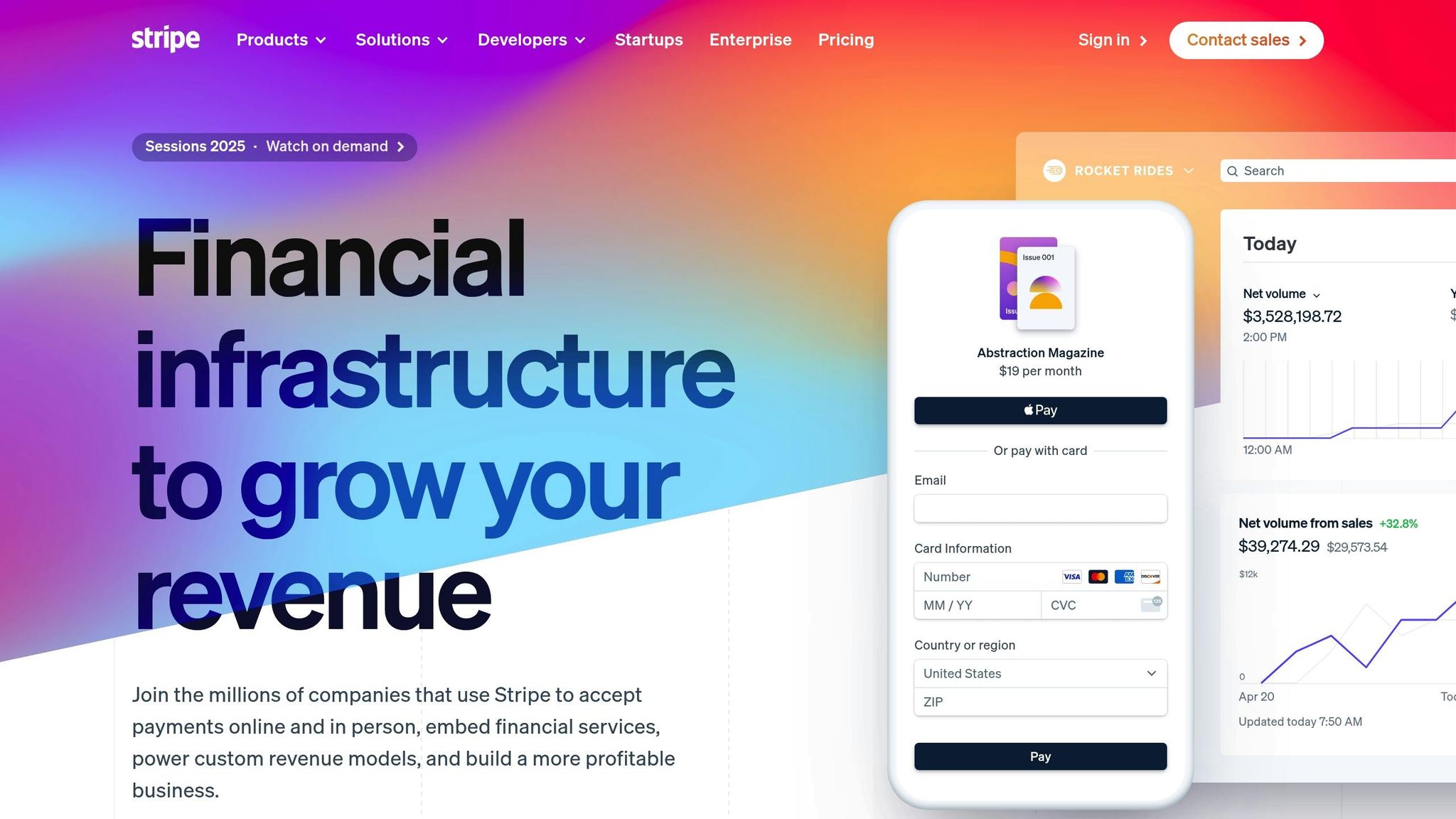
How to Connect Stripe
To integrate Stripe, you’ll need to start with a Stripe account. If you don’t already have one, sign up on their website. Once your account is ready, clear any test data to ensure a clean start for the integration process.
Head to the "Developers" section in your Stripe dashboard to find your API keys. You’ll need two keys: the Publishable Key and the Secret Key. In your booking software, navigate to the settings or integrations page, locate the Stripe connection option, and paste both keys into the appropriate fields. Save your changes to complete the connection.
Before going live, test your integration using Stripe’s test card numbers. This step ensures everything is functioning correctly. Once you’re confident the setup works, switch from test mode to live mode, but make sure your Stripe account is fully activated first.
If your business operates in multiple locations, you can assign a different Stripe account to each location for better financial tracking. For businesses that need to distribute payments to service providers, Stripe Connect is an excellent option.
In February 2025, BookingPress users gained access to Stripe POS by using BBPOS WisePOS E hardware. After installing the Stripe POS add-on and entering their API keys in BookingPress, they could process payments for pending transactions. This system automatically updated payment statuses to "Paid via Stripe POS".
Once Stripe is set up, you can enhance your payment options by integrating PayPal.
How to Connect PayPal
To start with PayPal, you’ll need a PayPal Business account. This gateway supports payments via credit cards, debit cards, and PayPal balances. Begin by creating or upgrading to a Business account and enabling PayPal in your booking software’s payment settings. You can choose between Live Mode for real transactions or Sandbox Mode for testing.
For Live Mode, retrieve your Live Client ID and Secret from your PayPal dashboard. Enter these credentials into your booking software’s PayPal settings. For testing, create an app in the PayPal Developer Dashboard to get sandbox credentials.
PayPal charges a transaction fee of 2.9% + $0.30 USD for domestic transactions. Businesses that offer PayPal as a payment option often see checkout conversion rates improve by up to 46%. To make things clearer for your customers, set up detailed payment descriptions so they know exactly what they’re paying for. PayPal also uses encryption and fraud detection systems to ensure secure transactions.
Before switching to live payments, test the setup thoroughly in Sandbox Mode. Offering PayPal can boost trust, as 71% of consumers are more likely to trust a brand that provides their preferred payment method. Additionally, businesses with integrated online booking and payment options often see revenue increases of 20–30% compared to those without.
When PayPal is ready, consider adding Square to support in-person payments.
How to Connect Square
Square is an excellent choice for businesses that need both scheduling and payment processing in one system. To get started, verify your Square account and complete the necessary identity and bank verification steps.
Square offers two main options: you can either create a simple online booking site or build a custom full-service website, depending on your business needs. Use the Square Dashboard or the Point of Sale app to enable and manage online booking features. If you have an existing website, you can embed booking buttons or flows directly onto your site.
Square uses a per-location pricing model with tiered options. For businesses processing more than $250,000 annually, custom pricing may be available. The platform provides features like 24/7 online booking, automated appointment reminders, and integrated payment processing. This allows customers to book appointments, make purchases, and stay updated with your business – all in one place.
Lastly, ensure your bank account is properly linked to handle deposits and payouts. Square’s streamlined approach reduces potential issues and simplifies troubleshooting, making it a reliable choice for managing payments and bookings efficiently.
sbb-itb-4c38b13
Improving Your Payment Process
Once you’ve connected your payment gateways, it’s time to refine the booking payment process. You can do this by integrating automated reminders, offering flexible payment options, and creating a professional, user-friendly payment form.
Setting Up Automated Messages
Automated reminders can dramatically reduce no-shows – by as much as 20% to 60%. This is particularly important since missed appointments cost the U.S. healthcare system billions annually.
To ensure customers receive reminders in their preferred way, use a combination of SMS, email, and phone calls. SMS reminders, in particular, have an impressive response rate of 97% to 99%, and 69% of U.S. patients say they prefer digital reminders like texts or emails. Make sure your system is set up to send notifications across all these channels, giving customers the flexibility to choose.
Timing is key. Sending the first reminder 24 to 48 hours before an appointment strikes the perfect balance – giving customers enough notice without risking them forgetting. Services like Lead Matrix specialize in automated, personalized reminders that help businesses reduce no-shows and boost bookings.
Take Apptoto as an example. A healthcare provider using the platform saw its no-show rate drop from 35% to just 6%, while also filling 75% to 85% of canceled slots with waitlisted patients. This improvement translated into an impressive $5.2 million in annual ROI.
To make reminders even more effective, enable two-way communication. This allows customers to confirm, cancel, or reschedule appointments with ease. Including extra details like directions, parking info, and preparation steps can also enhance the overall experience.
Once reminders are in place, the next step is simplifying payment completion with flexible payment options.
Setting Up Payment Options
Flexible payment options aren’t just convenient – they can directly impact conversion rates and customer satisfaction. When people have multiple payment methods to choose from, they’re far more likely to finalize their purchases.
One effective strategy is to require a deposit of 25% to 50% at the time of booking. This reduces no-shows while making services more accessible. The remaining balance can then be paid at the time of the appointment.
Transparency is crucial when it comes to refunds and cancellations. Display clear policies on your website and include them in confirmation emails. For example, you could offer a full refund for cancellations made within 24 to 48 hours and partial refunds for later cancellations. Make sure these policies are visible before customers make a payment to avoid any misunderstandings.
For repeat customers, consider implementing stored payment methods. Allowing users to securely save their payment details not only speeds up future transactions but also enhances their overall experience – all while maintaining strong security measures.
Finally, a well-designed payment form can go a long way in building trust and ensuring smooth transactions.
Customizing Payment Forms
Your payment form is often the final step in the customer journey, and it plays a critical role in building trust. In fact, 17% of shoppers abandon their purchases due to security concerns. This makes the design and functionality of your payment page essential.
Start by ensuring visual consistency. Customize your payment form to match your brand’s colors, fonts, and overall design. A seamless look that aligns with your website helps reassure customers that they’re still in the right place.
Security indicators are equally important. Display elements like "Secure checkout" labels, SSL certificates, and lock icons prominently to show that you take data protection seriously. Real-time validation for credit card numbers, expiration dates, and ZIP codes can also help users catch and fix errors immediately.
Keep the form simple and focused. Eliminate unnecessary fields and distractions to make the process as efficient as possible. Remember, 70% of shopping carts are abandoned, and 28% of those are due to overly complicated checkout processes. A clean, streamlined form can make all the difference in getting customers to complete their transactions.
Fixing Problems and Best Practices
Even with the most meticulous planning, payment gateway integrations can occasionally face challenges. Knowing the common pitfalls and following proven maintenance strategies can help keep your booking system running smoothly and securely.
Common Problems and How to Fix Them
Payment gateway integrations often encounter issues such as transaction failures (10%), delayed settlements (15%), and incorrect payment amounts (8%). Tackling these problems effectively ensures your system remains reliable from start to finish.
API connection errors arise when the communication between your booking software and the payment gateway breaks down. To fix this, double-check your API credentials, including keys and authentication details, to ensure they’re current and correctly configured. Also, confirm that your network connection is stable.
Webhook failures can disrupt automated notifications about payment statuses. To address this, test webhooks in a sandbox environment, implement retry logic, and log all responses. Verifying the authenticity of incoming webhook requests and having fallback mechanisms in place can help catch any missed notifications.
Environment mix-ups – such as confusing live and sandbox credentials – can lead to costly mistakes. Avoid this by securely storing API keys in environment variables.
Mobile payment issues are increasingly common, as many customers now shop on their smartphones. Ensure your payment forms are responsive and thoroughly test them across various devices and browsers.
Timezone and currency mismatches can create headaches for multi-region booking systems. Be sure to handle time differences and currency formats accurately to avoid errors.
Addressing these challenges is key to maintaining a secure and reliable payment system.
Keeping Your System Secure and Accurate
Once basic issues are resolved, focus on fortifying your system’s security and ensuring accurate transaction reconciliation. Data breaches are not only costly but also damage trust, and nearly 64% of companies fail to maintain PCI compliance.
Regular security audits are essential. Conduct quarterly vulnerability assessments, update security protocols promptly, and ensure HTTPS is used with proper input validation. Avoid exposing sensitive details in error messages.
Transaction reconciliation involves comparing your booking records with payment gateway logs. Automate alerts for discrepancies to catch errors quickly.
Credential management is another critical area. Regularly update API keys and passwords, subscribe to gateway notifications, and document all integration settings to maintain control.
Fraud prevention should be a continuous effort. Enable real-time fraud detection systems to flag suspicious transactions. Use tokenization to replace sensitive payment data with secure tokens, and implement 3D Secure authentication for added protection.
Ben Krefting, Chief Customer Success Officer at Cross River, emphasizes the importance of compliance expertise:
"When you’re new, you are probably not a payments expert. You will probably need a partner with a strong understanding of compliance."
Choosing a payment partner with robust compliance support can make a significant difference in long-term success.
Making Your Integration Work Better
With security and accuracy in place, take steps to optimize your integration for better performance and an improved customer experience. A well-optimized system not only streamlines operations but also enhances customer satisfaction.
Performance monitoring is vital. Keep an eye on key metrics like uptime (aim for 99.9%) and transaction speeds. Set up alerts for slow response times and use automated tools to detect fraudulent transactions in real time.
Integration updates are necessary to maintain system health. Review changelogs monthly and schedule updates during planned maintenance windows. Always test changes in a sandbox environment before deploying them live.
Customer experience optimization can make a big difference in conversion rates. Simplify payment steps to reduce cart abandonment. Display trust signals, such as security badges and payment logos, to reassure customers.
Automated scheduling enhancements can boost efficiency. Platforms like Your Lead Matrix specialize in appointment automation, streamlining scheduling, follow-ups, and customer engagement. When integrated with your payment gateway, these systems can send instant payment confirmations, trigger reminders for upcoming appointments, and handle rescheduling requests seamlessly.
Scalability planning ensures your system can handle growth. Design your API integration to accommodate increased transaction volumes as your business expands. Implement caching mechanisms and optimize your code for efficiency. Choose a payment gateway that can grow with your business, rather than one that limits your potential.
The payment gateway market is growing rapidly, with a compound annual growth rate of 22.2% projected from 2023 to 2030. This expanding market offers opportunities for new features and improved integration tools, making regular updates essential for staying ahead of the competition.
Conclusion
Integrating payment gateways with booking software creates a smooth, hassle-free experience for both businesses and customers. By connecting trusted payment processors like Stripe, PayPal, or Square to your booking system, you enable customers to complete transactions securely and efficiently in one seamless process.
Requiring upfront payments can significantly improve cash flow by reducing no-shows and simplifying transactions. This approach often leads to higher booking completion rates and improved customer satisfaction.
However, ensuring security is critical. With nearly half of consumers abandoning transactions due to security concerns, it’s essential to implement measures like encryption, PCI compliance, and fraud detection to safeguard sensitive data and build trust with your customers.
Offering a variety of payment methods can also increase conversions. Studies show that about 70% of consumers prefer using credit or debit cards. Providing multiple payment options through your integrated system eliminates obstacles that might prevent customers from booking.
Jessica Finn from NMI highlights the importance of this integration:
"A payment gateway enables secure, fast and seamless payment processing between customers, merchants and financial institutions."
Integration doesn’t stop at payments. It can also automate confirmations, reminders, and follow-ups, making operations more efficient. Tools like Your Lead Matrix take this further by enhancing customer engagement, increasing bookings, and reducing no-shows.
Lastly, with mobile transactions now accounting for over 50% of all e-commerce activity, ensuring that your system performs smoothly on both desktop and mobile devices is essential to meet the needs of today’s mobile-first customers. By prioritizing these integrations and optimizations, you can create a more effective and customer-friendly booking experience.
FAQs
What security measures should you consider when integrating a payment gateway with booking software?
To securely integrate a payment gateway with booking software, you need to prioritize strong security practices. Start with end-to-end encryption to keep sensitive data safe during transmission. Use TLS protocols to establish secure connections and tokenization to replace sensitive details with unique, non-sensitive identifiers.
Make sure your system meets PCI DSS standards, which are essential for handling payment information securely. Adding layers of protection like firewalls, enforcing strict access controls, and ensuring secure API integrations can further reduce the risk of unauthorized access or data breaches. These measures not only protect customer data but also help maintain confidence in your payment process.
What steps should I take to comply with U.S. regulations when integrating a payment gateway into my booking software?
To meet U.S. regulations when integrating a payment gateway, your system must comply with PCI DSS standards to ensure the security of cardholder data. You’ll also need to follow federal laws like the Electronic Fund Transfer Act (EFTA), which oversees electronic payments, and the Bank Secrecy Act (BSA), aimed at preventing money laundering.
Strengthen your security measures by using encryption, tokenization, and conducting regular system audits. These steps help protect sensitive information and reduce the risk of data breaches. It’s equally important to stay updated on regulatory changes to ensure your system remains compliant.
What are the key steps to test a payment gateway integration before launching?
To make sure your payment gateway integration runs smoothly, start by utilizing the sandbox or test environment offered by the payment gateway. This allows you to simulate different transaction scenarios, like successful payments, failed payments, and refunds, ensuring everything operates as it should.
After that, double-check that all transaction data is accurate and secure. This includes verifying customer details, payment amounts, and transaction IDs to prevent any errors. Lastly, perform end-to-end testing with real payment scenarios. This step is crucial to catch any potential problems and confirm the system works flawlessly before it goes live, providing a seamless experience for your customers.
